KB Article #3361
CollisionLink allows you to indicate back ordered parts on a transaction, notify your buyer about the back order status, and quickly locate and complete the order once the parts are available.
Important: Orders that include parts that you cannot fulfill until a later time (such as back-ordered parts) must not be submitted for reimbursement until all the parts have been fulfilled.
To handle back-ordered parts:
- While processing a CollisionLink order, parts that you plan to fulfill are moved from the Upsell Parts and OE Parts sections to the Response to Buyer section on the Order Details window.

- If a part is on back order, click the Status drop-down menu and select Back Ordered.
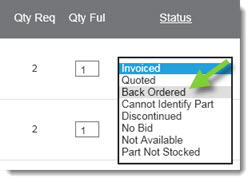
- Once you have reviewed all the parts, related pricing information, and selected the appropriate part status, you are ready to send a response to the buyer. Click Respond To Buyer on the to send the part pricing and status information to the shop.

- Orders that you have responded to that include back-ordered parts will display a Status of Responded To Order (Backorder Pending) on the CollisionLink Overview window.
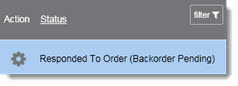
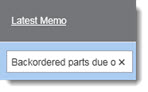
- Use the Latest Memo box of the order to add an invoice number or some other unique identifier as a reference in the so you can easily locate the order once the back-ordered part(s) arrive and ready to be invoiced.
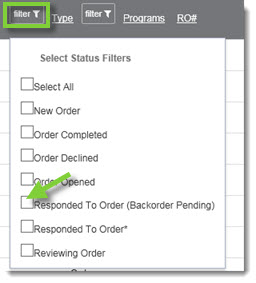
- Once you can fulfill the back-ordered part(s), return to the CollisionLink Overview to find your order. Click filter and then check Responded To Order (Backorder Pending) to display all orders with back-ordered parts. Double-click the transaction to open and update.
- Find the part with the Status of Back Ordered in the Response to Buyer section. Click the drop-down and change the Status to Invoiced.

- If all the parts in the Response to Buyer section have been fulfilled, you are ready to finalize the order and submit it for reimbursement.