KB Article #1893
A "markup goal" can be added to CollisionLink to ensure your dealership's profit goals for converting non-OE parts are met. To help protect your profit margins, CollisionLink will automatically flag any part in the Upsell Parts section that falls below the Upsell Part Markup Goal established.
Example:
CollisionLink is set up with a Converted Part Gross Profit Goal of 15% of dealer cost. When the markup percentage for a part falls below your gross profit goal, the Markup field will display in red. (Click here for more information on upselling parts in CollisionLink.)
Notes:
- The Markup field will also display in red for any entry you will lose money on.
- The Total Markup % field will not be highlighted in red, even if it is negative.
To set up a markup goal for upsell parts:
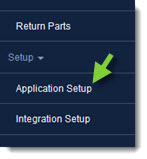
- From the CollisionLink tab, click Application Setup.
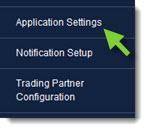
- Click Application Settings.
- Check the Enabled box to activate the Upsell Part Markup Goal for CollisionLink and type the desired minimum profit goal for conversion parts in the Markup field.

- When finished, click Save. The new Upsell Part Markup Goal will be applied to all future orders.
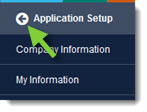
- Click the Back button at the top of the left-hand navigation menu to close.