KB Article #4954
Manage the core prices that are visible to your buyers by following these steps:
Notes:
- The uplift will apply to all visible cores in RepairLink Shop.
- The uplift is only available for a positive percent.
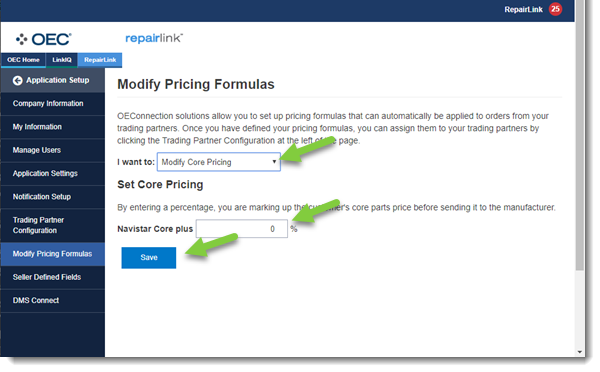
- Click Application Setup in the blue menu bar.

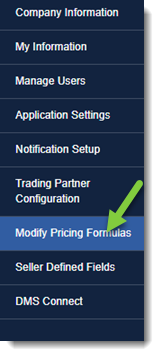
- Click Modify Pricing Formulas.
- Select Modify Core Pricing from the drop-down.
- Enter your Navistar Core Plus percentage Amount.
- Click Save.