KB Article #460
If you need to include additional parts to a CollisionLink order, use the Add Part option on the Order Details menu.
Notes:
- Parts that are manually added will not qualify for an automaker-sponsored parts program.
- Parts can not be added to ProfitNet orders from the CollisionLink Order Details window.
To add a part:
- From the CollisionLink Order Details window, click Add Part.

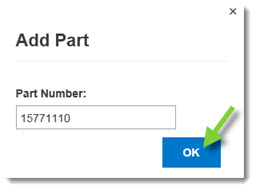
- Type the part number and then click OK.
- The part number will be added to the Response to Buyer section. For all added parts, the line number will begin with CL.
