KB Article #4
CollisionLink Administrators can select one of their salespeople to serve as a Power User. The selected user will be able to see all orders (regardless of salesperson) on the Overview, but will not be able to access the administrator functions of the application. Note: Only one user can be set as the CollisionLink Power User.
To add a Power User:
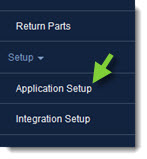
- From the CollisionLink tab, click Application Setup.
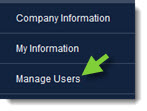
- From Application Setup, click Manage Users.
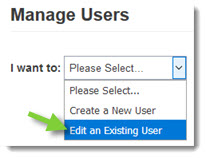
- Select Edit an Existing User from the I want to drop-down.
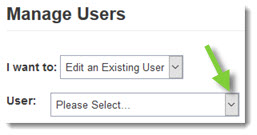
- Find and select the desired user from the User drop-down.
- Under Power User, click the Product drop-down.
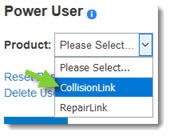
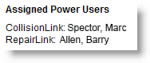
- Select CollisionLink from the drop-down menu. Note: The Assigned Power Users section will display the current Power User, if any.
- Click Save.