KB Article #4118
While processing an order, the Quick Calculator can be used to change the estimated non-OE price or OE sell price on-the-fly by selecting pricing formulas added by the CollisionLink administrator. If desired, the feature can be turned off/disabled.
Note: Quick Calculator must be disabled by each user that has their own CollisionLink login account.
To disable the Quick Calculator tool:
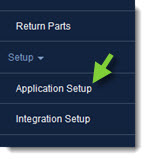
- From CollisionLink, click Application Setup.
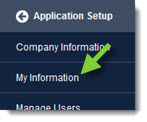
- Click My Information.
- Click to uncheck the Display Quick Calculator box.
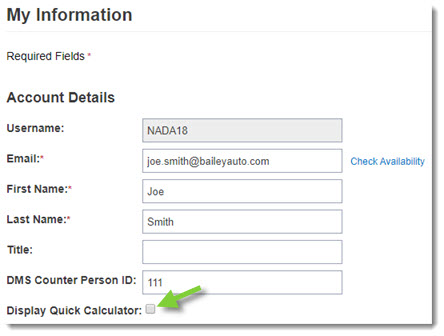
- Click Save to complete the process and disable the feature.
- When complete, click the Back button at the top of the left-hand navigation menu to close.