KB Article #4448
Some automakers allocate a specific amount of funds to participating dealers to be used for program reimbursements. As dealers process orders and submit program qualifying parts to the OEM for reimbursement the fund is depleted. To avoid the risk of going beyond the limit, CollisionLink provides the following fund notification features so you can keep track of your funds and help ensure you do not go over the allocated amount.
Note: The Fund Tracking features below are only enabled for the OEMs that have established program fund limits for participating dealers.
If Fund Tracking is enabled for the OEM in CollisionLink:
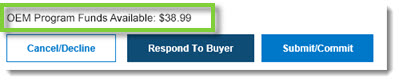
- The balance remaining on funds allocated to your dealership will display at the bottom of any CollisionLink order you open that has program parts flagged.
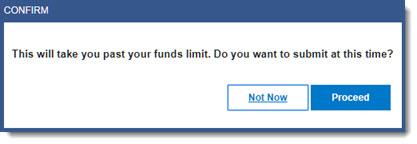
- As orders are processed and submitted for reimbursement, allocated funds will be depleted. If the claim amount risks taking allocated funds to a negative balance, a funds limit warning will display for current and subsequent orders. Note: Payment is at the discretion of the OEM--if you click Proceed to submit the claim, the reimbursement may be rejected by the OEM.
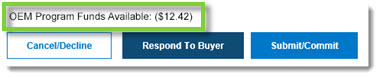
- Once you go past the allocated fund limit, CollisionLink Order details will display a negative balance. Note: A new amount will display once the next settlement budget period begins.
- In addition to the Funds Tracking features above, users with an Administrator account can access a Funds Tracking Report--available on demand--that reports on the reimbursement amount spent so far and the amount remaining to be spent in the current settlement budget period--as well as providing information on the previous and next funding periods. (Click here to learn more.)