KB Article #2369
CollisionLink notifies users of all new orders that arrive on the Overview. Notifications are received in two ways:
- Real-Time Order Notification: CollisionLink displays an on-screen, real-time notification when you receive a new order.
- This notification is automatically displayed in the upper right-hand corner of the window. Hover your mouse over the notification to view a summary of the new orders.
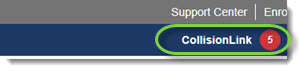
- Click on a New Order from... link to instantly view the order details
-or-
click View all...new orders and quotes to display your new orders on the CollisionLink tab
- This notification is automatically displayed in the upper right-hand corner of the window. Hover your mouse over the notification to view a summary of the new orders.
- Email Notifications: You can set up CollisionLink to automatically send an email message to users anytime an order is received or a part is returned. (Click here for more information.)