KB Article #3334
CollisionLink administrators can assign up to three sales people to handle your Claim Creation Manager (CCM) orders by adding the "Manual Order Shop (U.S./Canada)" account as a Trading Partner.
Notes:
- A salesperson must have an OEC user name and password before they can be assigned to a shop.
- Only the administrator, Power User, and the salesperson(s) you assign will see Claim Creation Manager orders that are created in CollisionLink.
To assign a salesperson:
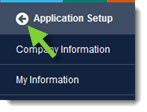
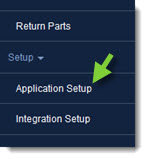
- From the CollisionLink tab, click Application Setup.
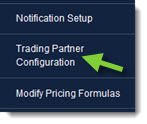
- Click Trading Partner Configuration.
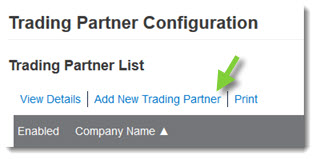
- Click Add New Trading Partner.
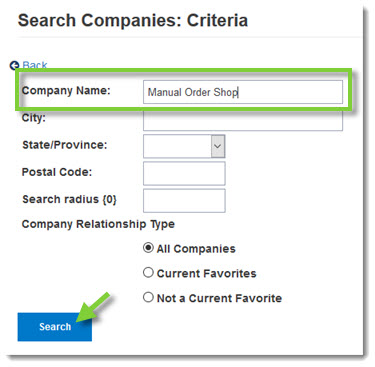
- Type Manual Order Shop in the Company Name field and then click Search.
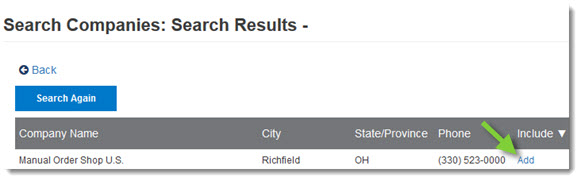
- Click the Add when the record displays in the Search Results.
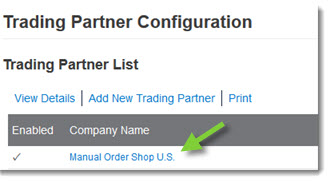
- When the Trading Partner List displays, double-click the Manual Order Shop record to view its details.
- Under General Information section:
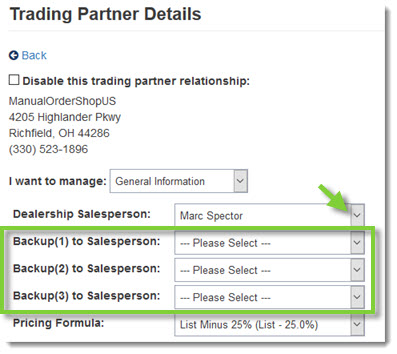
- Select a Dealership Salesperson from the drop-down list.
- If desired, select a Backup Salesperson from the drop-down list. (You may select up to three.)
- Click Save when finished.
- Click the Back button at the top of the left-hand navigation menu to close.