KB Article #3893
ConsumerLink will display alerts on the Recent Orders window that warn you about potential problems with an order that you have received.
Note: To return to the legacy view of orders, click Go to Recent Orders - Legacy. (Click here for legacy instructions.)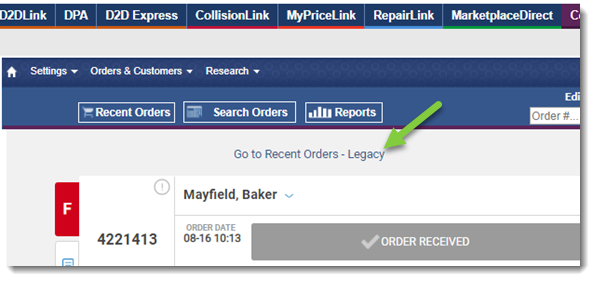
The colored tabs on the left of each order give you an at-a-glance indication of the "quality" of the order. 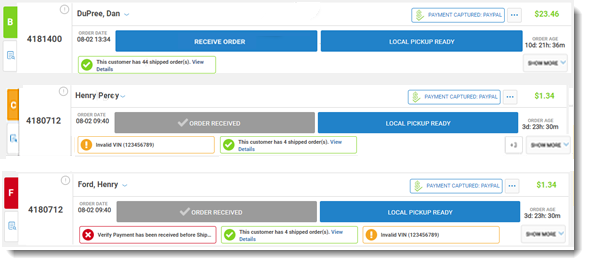
- A green tab with a letter grade of "A" or "B" indicates that the order is warning-free.
- An orange alert box indicates one or more of the following alerts:
- Payment only authorized
- Order payment withheld
- Approved payment attempt with alternate name
- Payment not captured
- Previous canceled orders
- Payment conditionally approved
- Possible freight forwarder
- Previously known IP address
- A red alert box indicates one or more of the following alerts:
- Fraudulent order history
- Failed address verification
- Declined payment attempt with alternate name
- Payment not yet received
- Order parts total error
- Alternate username detected
- Alternate shipping address detected
- Alternate billing address detected
Understanding ConsumerLink Pro Alerts (Legacy View)
To process orders using the legacy view...
ConsumerLink will display on-screen alerts that warn you about potential problems with an order that you have received.
On the ConsumerLink Overview, this can be found in the ! column:
- The green (
 ) dot indicates the order is warning-free.
 - An orange (
 ) dot indicates one or more of the following:
- Payment only authorized
- Order payment withheld
- Approved payment attempt with alternate name
- Payment not captured
- Previous canceled orders
- Payment conditionally approved
- Possible freight forwarder
- Previously known IP address
- A red (
 ) dot indicates one or more of the following:
- Fraudulent order history
- Failed address verification
- Declined payment attempt with alternate name
- Payment not yet received
- Order parts total error
- Alternate username detected
- Alternate shipping address detected
- Alternate billing address detected
Once you have opened an order, these alerts can be found in two places:
- At the top of the order:

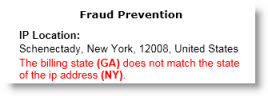
- In the Fraud Prevention section of the Order Summary: