KB Article #6905
Use the Estimate Uploader report to see where shops have identified you as a preferred dealer. Drill down into the data to see how many estimates these shops have written, their CollisionLink transactions, and if the Estimate Uploader is installed and used.
This report is especially helpful for OEMs with MyPriceLink (MPL). In these cases, you can review the entire estimate in MPL if the Estimate Uploader is enabled, allowing for more opportunity for conquesting. (Learn more about Determining Which MyPriceLink Quote to Select.)
Notes:
- The estimates count is not specific to an OEM, but a count of all estimates written by the shop.
- CollisionLink transactions show the previous calendar month activity and include PartsTrader activity. PartsTrader orders will not show in estimate count.
To view your Estimate Uploader report:
- Click the LinkIQ tab.

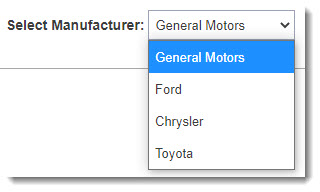
- Information is displayed by OEM. If your dealership services multiple manufacturers, use the Select Manufacturer drop-down to switch.
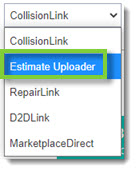
- Choose Estimate Uploader from the Select Solution drop-down.
- Click Submit to display the reports.
- If desired, use the following drop-downs in the left side panel to narrow the information displayed:

- ShopName
- ShopCity
- The reports will automatically update based on the selections made. Click the Clear Selections button to reset the drop-down. (This will display when you move your mouse over the data field.)
- The following high level details of your business will display:

- # CL Transactions Last Month
- # Estimates written by Shop Last Month
- # Preferred Shops
- # Shops with Estimate Uploader Enabled
- Beneath that, the following reports will display:
- CL Transactions vs Estimates: A comparison of all CollisionLink transactions and all estimates that took place during the last month.

- Top 5 Shops by CL TransactionCount: Allows you to track your top 5 shops, determined by the number of CollisionLink transactions placed.

- Shop Performance (only includes shops where you are the preferred dealer): A breakdown of the shops that currently list your dealership as their preferred location.

- CL Transactions vs Estimates: A comparison of all CollisionLink transactions and all estimates that took place during the last month.