KB Article #6772
Sales prospects can be created for those with PSXLink Standard or PSXLink Professional accounts.
To create a new sales prospect:
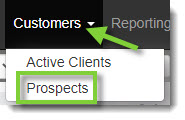
- Choose Prospects from the Customers drop-down menu.
- Click New Prospect.

- A form will appear in the bottom section of the window. Click and drag the
 icon upward to enlarge the section and view all fields.
- In the first column, type the Acct # in the provided fields. Click the magnifying glass icon to verify the account number is available.
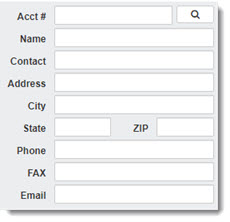
- Fill in the remaining provided fields.
[image]
Options include:- Name
- Contact
- Address
- City
- State
- ZIP
- Phone
- FAX
- In the second column fill in the provided fields:
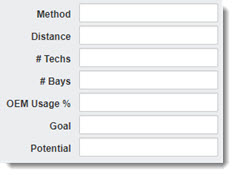
Options include:- Method
- Distance
- # Techs
- # Bays
- OEM Usage %
- Goal
- Potential
- In the third column, choose from the provided drop-down menus as appropriate:
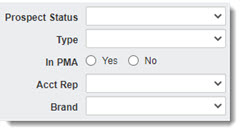
Options include:- Prospect Status
- Type (Collision, Fleet, Mechanical, etc.)
- In PMA (Yes or No)
- Acct Rep
- Brand
- In the fourth column, choose from the provided drop-down menus. The selections in the drop-down menus will vary based on Preferences.
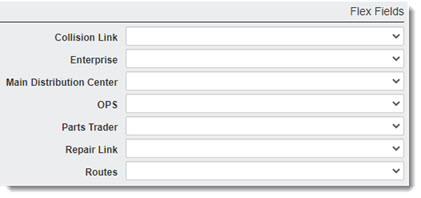
Options include:- Collision Link
- Enterprise
- Main Distribution Center
- OPS
- Parts Trader
- Repair Link
- Routes
- When ready, click Save.
