KB Article #6738
A variety of activity reports can be created and customized to monitor sales activity. This dashboard allows you view any activity reports you wish to see.
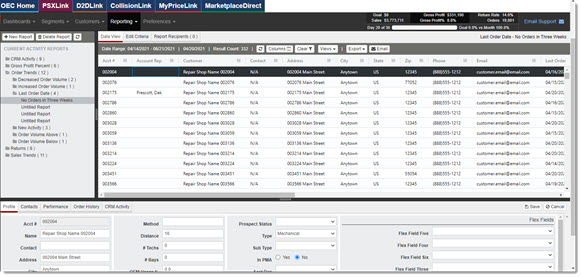
At any point, click the  between sections to expand or condense them as needed.
Main Menu
This top menu provides three options: 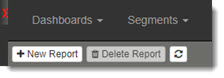
- Click New Report to display the different categories of sales trend activity reporting. (Learn more about creating new activity reports.)
- Click Delete Report to remove a report you no longer want.
- The refresh icon allows you to refresh the page and include any newly created reports.
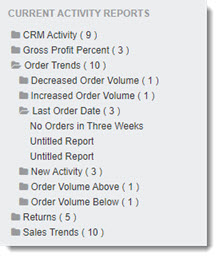
Current Activity Reports
All available reports are listed and organized into folders. The number next to the item shows the number of report variations you have created for that sales trend category.
Data Grid
This section displays on the user interface a data grid listing the customer accounts generated by the activity report's Edit Criteria.
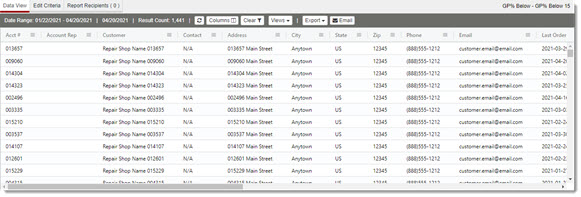
The menu provides the following options:
- Refresh: Refreshes the screen to pull in any new data.
- Columns: Allows you to customize what columns are visible.
- Clear Filters: Resets all filters back to show all report data.
- Views: Allows you to save a custom view. (Click here for more on customizing views.)
- Export: Allows you to export the report as a PDF, Excel, or CSV file.
- Email: Allows you to email the report.
Detail Panel
Clicking on a customer account line in the Data Grid reveals this specific sales trend data about the customer's business with you.

The menu provides the following options:
- Profile: Displays editable profile information for that customer.
- Contacts: Provides all your contacts for that customer.
- Performance: Displays reports specific to that customer.
- Order History: Provides all order history for that customer.
- CRM Activity: Allows management and staff to assign completion dates to upcoming tasks. PSX generates an activity status report on those dates.