KB Article #6318
Selling parts online can be a time-consuming process. MarketplaceDirect gives you the benefit of a profitable online presence with the convenience of automatically generated listings in eBay. Follow these steps to check your eBay rating and monitor your progress.
To view your current rating on eBay:
- Within eBay, click on the caret next to your name to view the drop-down options.
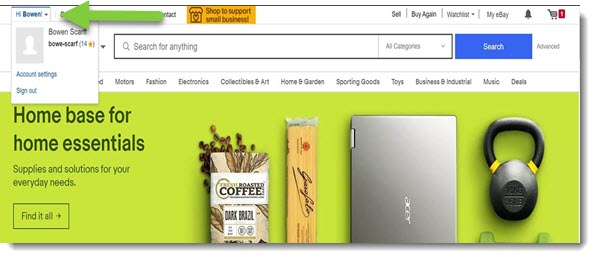
- Click Account Settings.
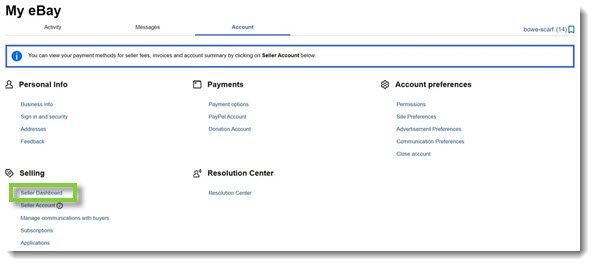
- On the My eBay screen, click Seller Dashboard. Note: You can also access your Seller Dashboard directly at https://sellerstandards.ebay.com/dashboard.
- The Current seller level displays your current standing. If we evaluated you today indicates your trending standing.
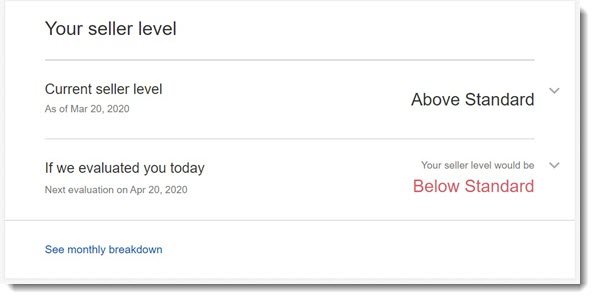
- To access more detailed information, click on the caret beside your level.

- Each of your ratings is calculated on five categories. : The
 alert indicates that your measurement has exceeded the metric limit.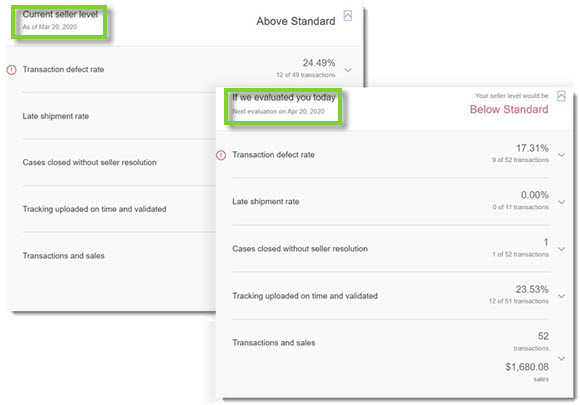
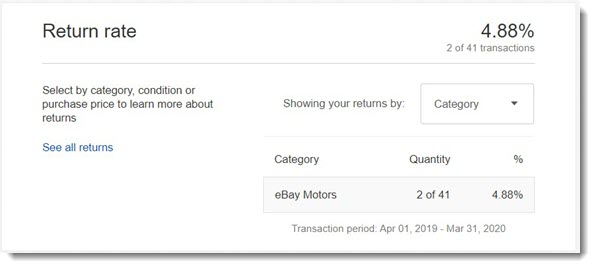
- The Return rate calculates your returned orders versus total orders completed.
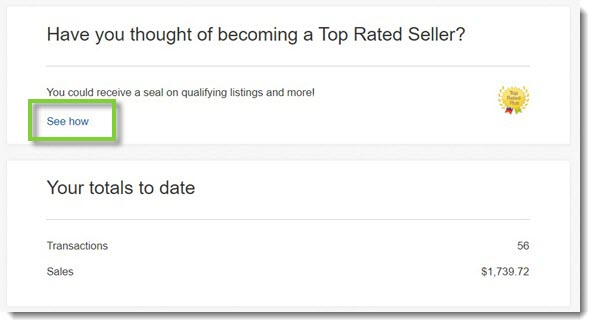
- To become a Top Rated Seller, click See how.