KB Article #2710
You may occasionally need to end an eBay early (if, for example, an item doesn't work or is missing a part). eBay allows you to quickly cancel one or more listings.
To end a listing on eBay:
- Open eBay and sign in.
- Click the Sell button next to your My eBay tab.

- Scroll all the way to the bottom of the page and set the Items per page to this maximum available.

- Check the box(es) for the part you wish to edit. (You may check multiple boxes.)
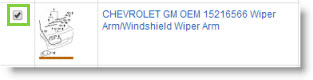
-or-
Check the box at the top of the list to select all parts.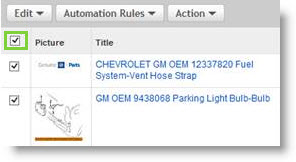
- Click Action.
- Click End. This will end your selected listing(s).

- Repeat Steps 5-7 to end additional listings.