KB Article #3338
MyPriceLink reporting allows you to view a summary of all MyPriceLink and CollisionLink transactions submitted for reimbursement for a specific month. This information can then be exported for review.
Note: Reports are only available to the Dealer Portal Admin.
To run your MyPriceLink report:
- From the MyPriceLink or CollisionLink tab, Click MyPriceLink Reporting on the left-hand navigation menu.
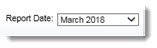
- Select the Report Date from the drop-down list. Note: If you select the current month, the report will include information up to the previous day.
- Click Generate Report.
- Your list of submitted parts will display. Click the Export.csv link to export information for viewing in Microsoft Excel, Google Docs, or any application that supports CSV files.

MyPriceLink Report Field Definitions
|
Field |
Definition |
|
Employee ID |
The DMS Counter Person ID entered when the parts were submitted for reimbursement during the Export to DMS process. Note: For CollisionLink users, this will be the DMS Counter Person ID added in Application Setup. |
|
Program Name |
The parts program that the parts qualify for. |
|
Claim # |
The OEC ID for the order. (CLK indicates the order was submitted through CollisionLink, MPL indicates the order was submitted through MyPriceLink.) |
|
Invoice # |
The invoice number enter within the OEC solution or imported from your DMS. |
|
Returned/Purchased |
Indicates if the parts were purchased (P) by the shop or returned (R). |
|
Claim Submitted Date |
The date you submitted the order within CollisionLink or MyPriceLink. |
|
Claim Returned Date |
The date the parts were returned within CollisionLink or MyPriceLink. |
|
OE Part # |
The part number that qualified for reimbursement. |
|
Qty |
The part count submitted for reimbursement. |
|
List |
The list price for the part number submitted. |
|
List Ext |
The total price for the quantity submitted (List x Qty). |
|
Reimb |
The reimbursement amount for an individual part. |
|
Extended Reimb |
The total reimbursement for the quantity submitted (Reimb x Qty). |