KB Article #1414
The Distributor Access feature allows your distributors to view the replenishment details and current inventory levels of parts assigned to them. If enabled, distributors will also be able to add a PO number, allow you to pick up of parts, and set the reorder schedule on your behalf. Note: The PO number cannot be more than nine characters.
To share your stocking status:
- From the D2DLink Tasks menu, click My Distributors.
- From the My Distributors window, click to select the distributor you would like to grant access to.
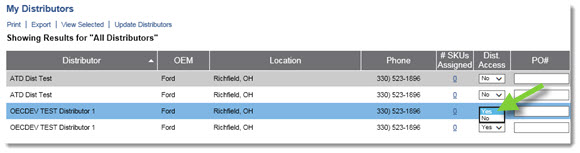
- From the Dist Access column, click the drop-down menu and select Yes.