KB Article #1138
Parts that are no longer needed can be deleted from your Stocking Guide at any time.
To delete a part from the Stocking Guide:
- From the D2DLink Tasks menu, click Stocking Guide.
- Your Stocking Guide will display. Click to highlight the part you wish to remove.
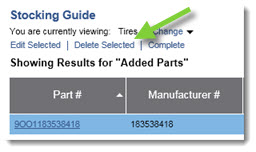
- Click Delete Selected.
- The part will be removed from your Stocking Guide.